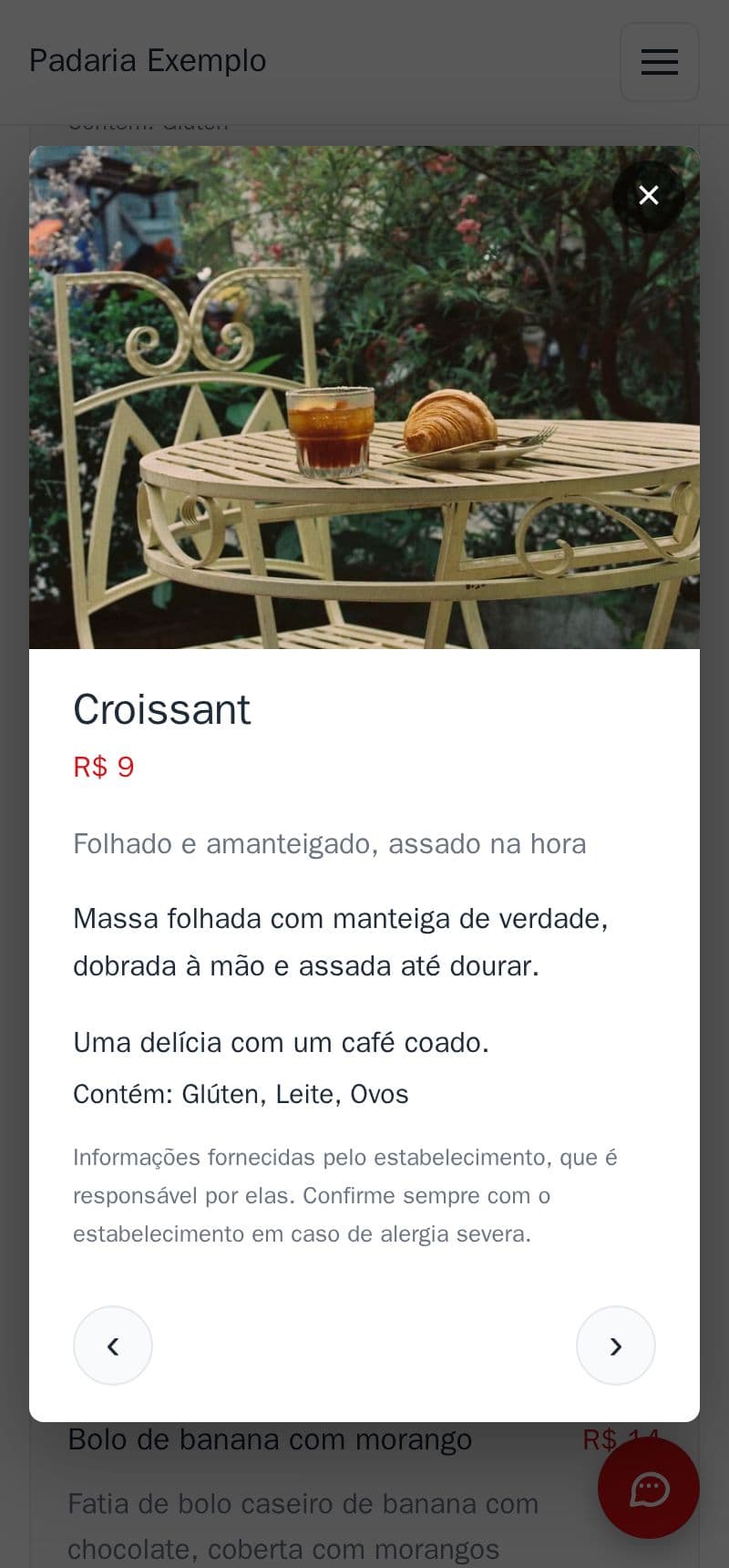
One tap on a dish opens its details: the photo, the ingredients, the sizes with their prices and the allergens.
- The menu stays short and easy to read; anyone who wants more taps the item.
- In the details: a large photo, a longer text, sizes (250 g jar, 500 g), diet labels and “Contains: …”.
- Arrows to go to the next dish without closing.
- It works for products and services too.
It is part of the site, at no extra cost. Tap an item on the example bakery's menu.
How to do it in the editor
The editor is in Portuguese; the button names are in quotes.
- In the editor, in “Cardápio” (menu), tap “Ver detalhes ›” (see details) on the item.
- Tap the photo to add or change the item's photo.
- Write the “Detalhes” (details): ingredients, how it is made…
- For sizes, tap the price, then “+ Adicionar tamanho” (add size).
- Tap “Publicar” (publish).
Diet labels and allergens are under “Mais” → “Dieta e alergênicos” (more → diet and allergens; see how).