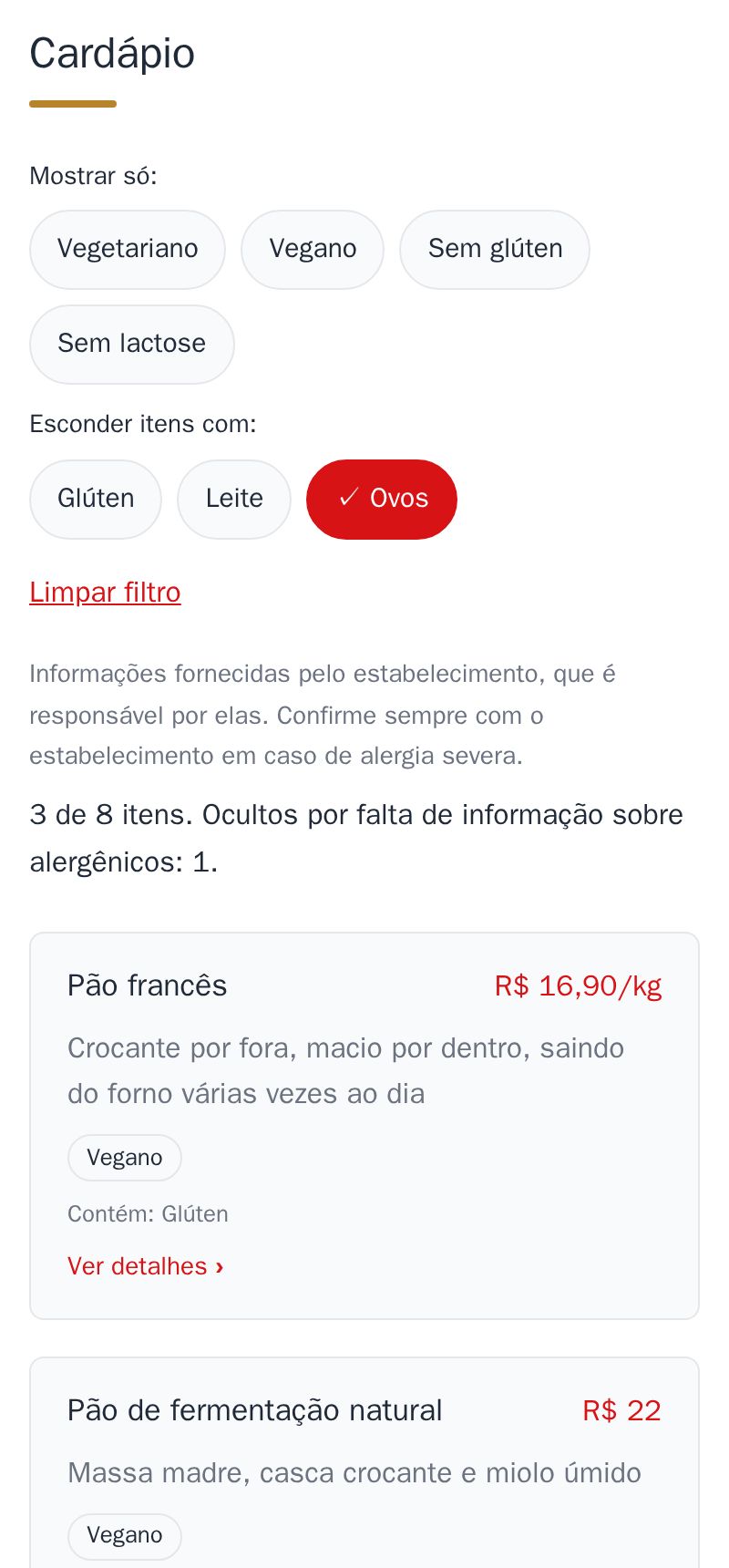
New on your menu: customers filter dishes by diet, like vegan or gluten-free, and hide those with an allergen, like eggs or milk.
How it works:
- Show only: vegetarian, vegan, gluten-free or lactose-free
- Hide items with: gluten, milk, eggs, peanuts and the other allergens you marked
- The diet labels and the “Contains: …” line show on every dish, without opening the details
- The filter is remembered on the customer's phone: on the next visit, they only see what they can eat
- A dish without allergen information is hidden too when the customer hides an allergen, so nothing looks safe unless you marked it
A fixed sentence, always visible, reminds customers to check with you if they have a severe allergy.
It is part of the site, at no extra cost. See it on the example bakery's menu.
How to mark it in the editor
The editor is in Portuguese; the button names are in quotes.
- In the editor, tap “Mais” → “Dieta e alergênicos”, or “+ Dieta e alergênicos” under an item.
- For each item, tap what it is (“Vegano”, “Sem glúten”…) and what it contains (“Glúten”, “Leite”, “Ovos”…).
- The item has none of these allergens? Tap “Nenhum destes”. Without it, the item stays “Sem informação” (no information) and disappears from the menu when a customer hides an allergen.
- Tap “Para conferir” (to check) to see the items still missing, or those with something that does not fit, like “Vegano” with “Leite”.
- Tap “Publicar”. The filter appears by itself, with only the options your menu has.