Customers get their order number at once and see on their phone when it is ready. Nobody has to wait at the counter.
At a pool bar, a busy snack bar or a food truck, customers order and stay near the counter, waiting for their number to be called. With order tracking they can go back to their table, their sun lounger or their friends: the phone shows when the order is ready. It works together with the online order.
How it works
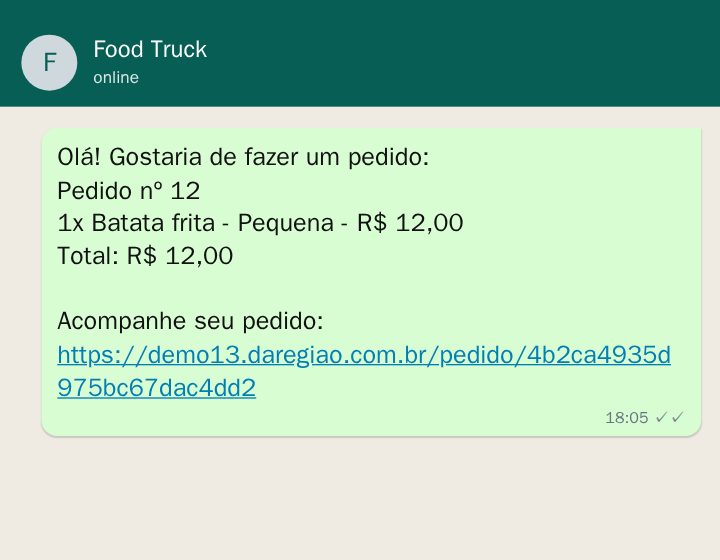
1. The customer orders on the site and sends it on WhatsApp. When they tap Send order, the order gets a number. The message starts with the number and ends with the link “Acompanhe seu pedido” (follow your order).
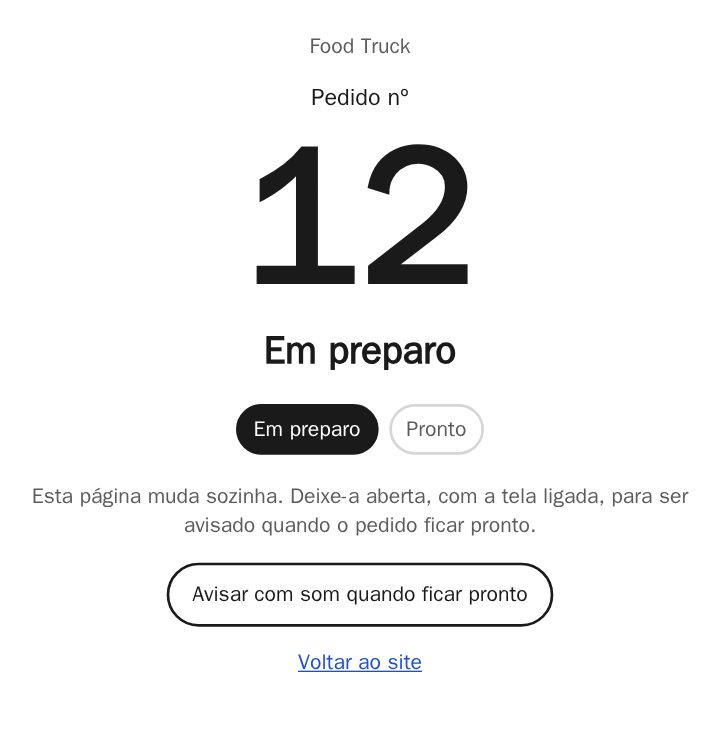
2. The order's page shows the number and the status. It starts at “Em preparo” (being prepared). After a tap on “Avisar com som”, the page beeps when the order is ready.
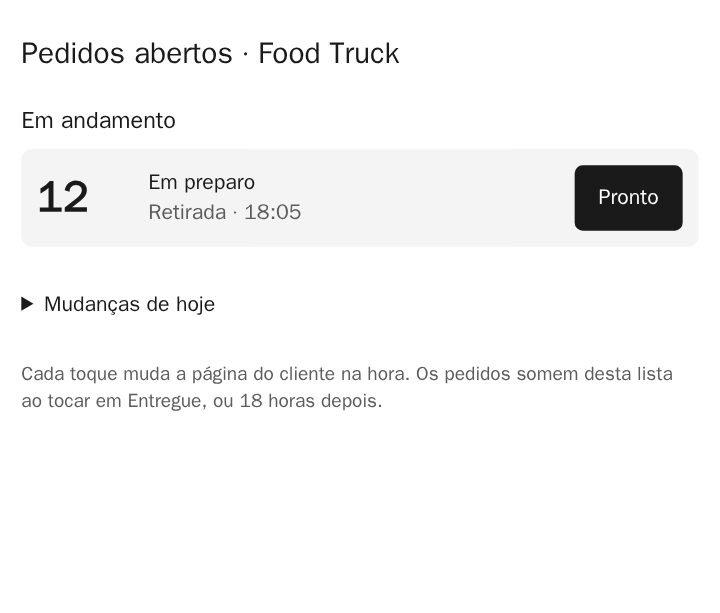
3. In the kitchen, one tap on Pronto (ready). Your staff open the page of open orders on any phone or tablet. Each order has one button for the next step; “Desfazer” undoes a wrong tap, and “Entregue” (delivered) takes the order off the list.
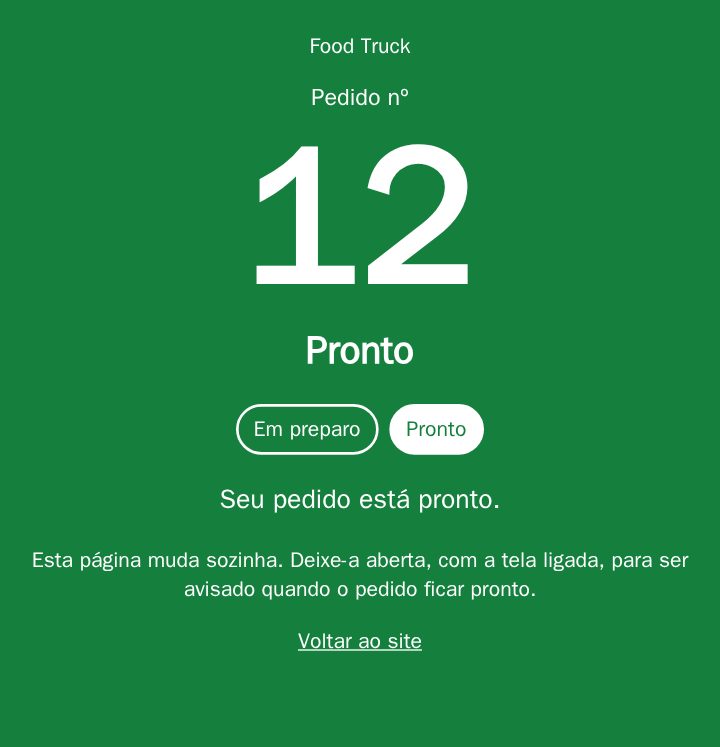
4. At once, the customer's page turns green. “Seu pedido está pronto” (your order is ready). For a delivery it says “Saiu para entrega” (out for delivery).
Simple or in steps
- Simple (the default): “being prepared” from the moment it is sent, and one tap to “ready”. One tap per order.
- In steps: “received”, “being prepared” and “ready”, one tap each. If you like, also “waiting for payment”, which only your staff can set: the site never knows whether anything was paid.
Good to know
- The page tells the customer while it is open, with the screen on: it is not a notification. With the screen locked, it shows the right status as soon as the customer looks again.
- On an iPhone the sound only works after the tap on “Avisar com som”. Vibration only on Android.
- The site keeps only the number, the status, the time and whether it is pickup or delivery, for 2 days. Name, phone number and address stay in the WhatsApp message.
- The kitchen page is on a link of your own and asks for a 6-digit PIN once on each device. Every change shows under “Mudanças de hoje” (today's changes), with the device that tapped.
Try it
Place an order at the example food truck and open the order's page. It stays at “being prepared”, because nobody is in the example's kitchen.
How to switch it on
You don't have to do anything in the editor: I switch it on and set it up for you. Tell me whether you want the simple mode or the steps, and your staff's 6-digit PIN. I send the link to the orders page together with your site's stats link.
Order tracking costs R$ 20/month and needs the online order, also R$ 20/month. Or the Pacote Delivery: online order, delivery, printed order and order tracking for R$ 59/month instead of R$ 80. Want it for your business? Message me on WhatsApp.