Published something wrong? In the editor, Mais > Histórico do site takes the site back to one of its last 10 versions with one tap. How to look at it and restore it.
Every Publicar you make is kept. If a text, a photo or a price went out wrong and Desfazer (undo) no longer helps (it only works before you publish), Histórico do site (site history) puts the site back as it was, without you having to ask me.
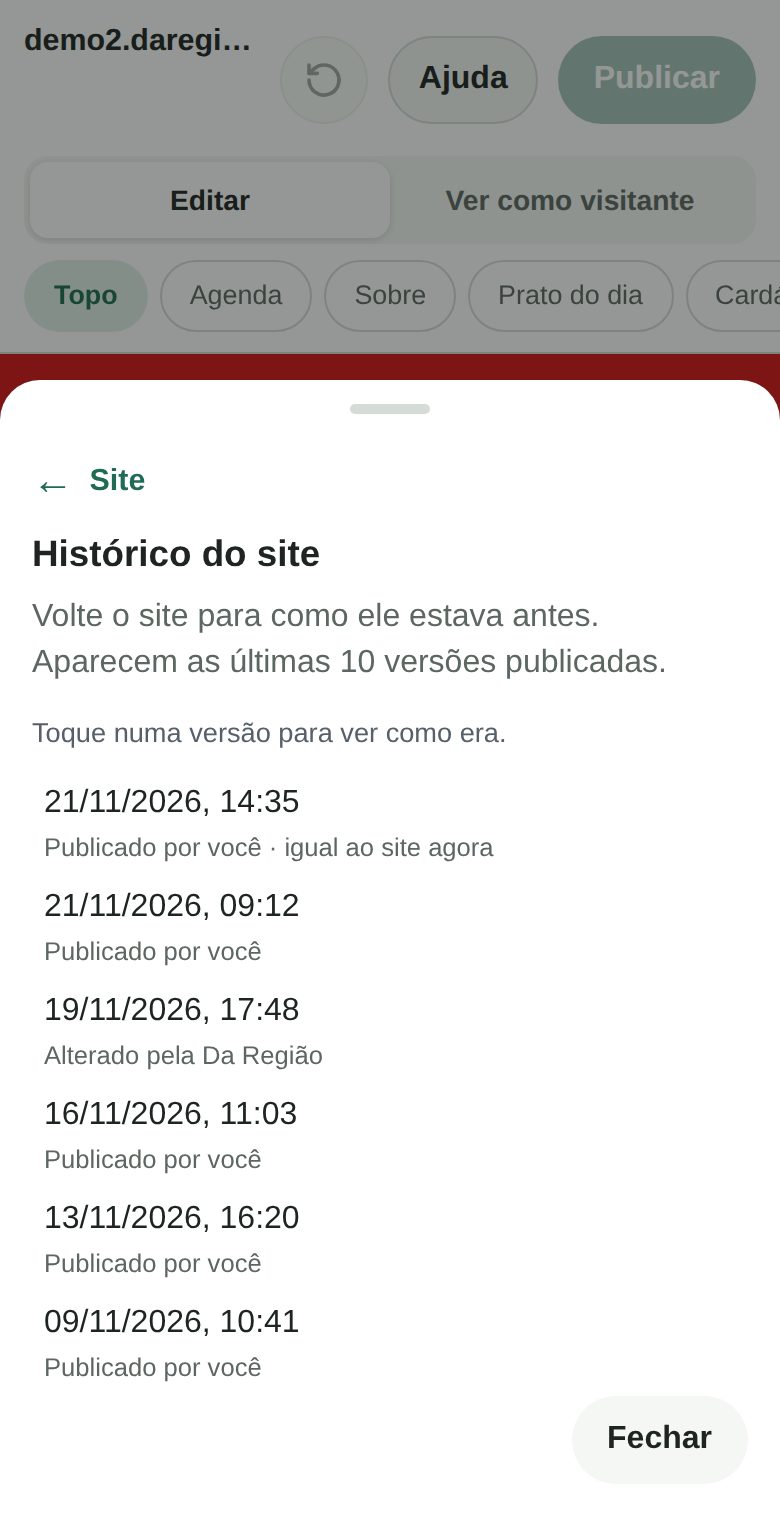
See the history
1. Tap Mais (more) and open the Site tab. Look for the Histórico do site row.
2. Pick a version. The list shows the last 10 published versions, newest first, each with its day and time and with Publicado por você (published by you) or Alterado pela Da Região (changed by Da Região). A version that already equals the site today shows igual ao site agora (same as the site now): there is nothing to restore in it.
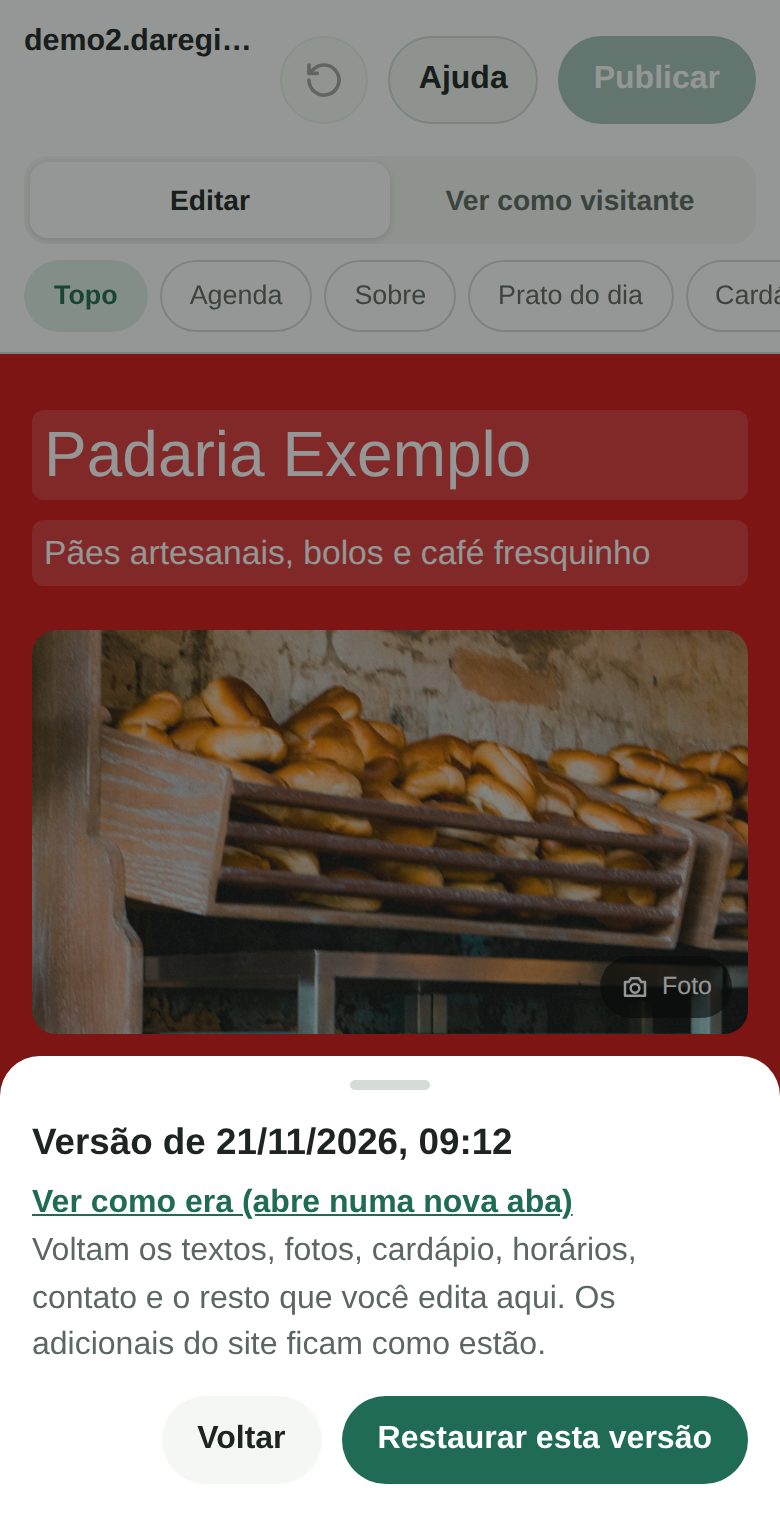
3. Tap Ver como era (see how it was). It opens a new tab with the site as that version would make it, so you can check before deciding. Nothing changes on the real site.
Restore
1. Tap Restaurar esta versão (restore this version). The editor brings back what you edit here: texts, photos, menu and items, hours, contact, frequently asked questions, links and the order of the sections.
2. Wait about 2 minutes. The old version shows on the site for everyone. The status line at the top of the editor tells you when the site is live.
3. Wrong again? Go back again. The version that was live before stays in the list: open the history and restore it.
What does not come back
- Add-ons and what only I set up stay as they are: online orders, the blog, the assistant, editor logins and the rest. Restoring never switches anything on or off.
- The draft on this device is discarded. If you had changes not yet published, the editor warns you first. Publish them or note down what you want to keep.
- Photos that are already deleted stay out. The editor automatically deletes photos that appear in no recent version, but it keeps those of the last 10 versions. If a photo is gone anyway, the restore goes ahead without it and the editor says which ones. I keep a copy of the photos: message me and I recover it.
Good to know
- It is the last 10 versions. Want an older one? message me on WhatsApp and I go back in minutes.
- Your restores do not take room in the list. Only the versions you or I published show up.
- Only for people with full editor access. A blog-only login does not see the site history; the blog has its own Histórico on every article.
- Before publishing, use Desfazer (goes back one step) or Descartar rascunho (discard draft: everything goes back to the site as it is now).
- It costs nothing. It is part of the site.
How to turn it on
It is already on for every site with the editor. Open the editor at editar.daregiao.com.br, tap Mais and then Histórico do site. Questions? message me on WhatsApp and tell me your site.