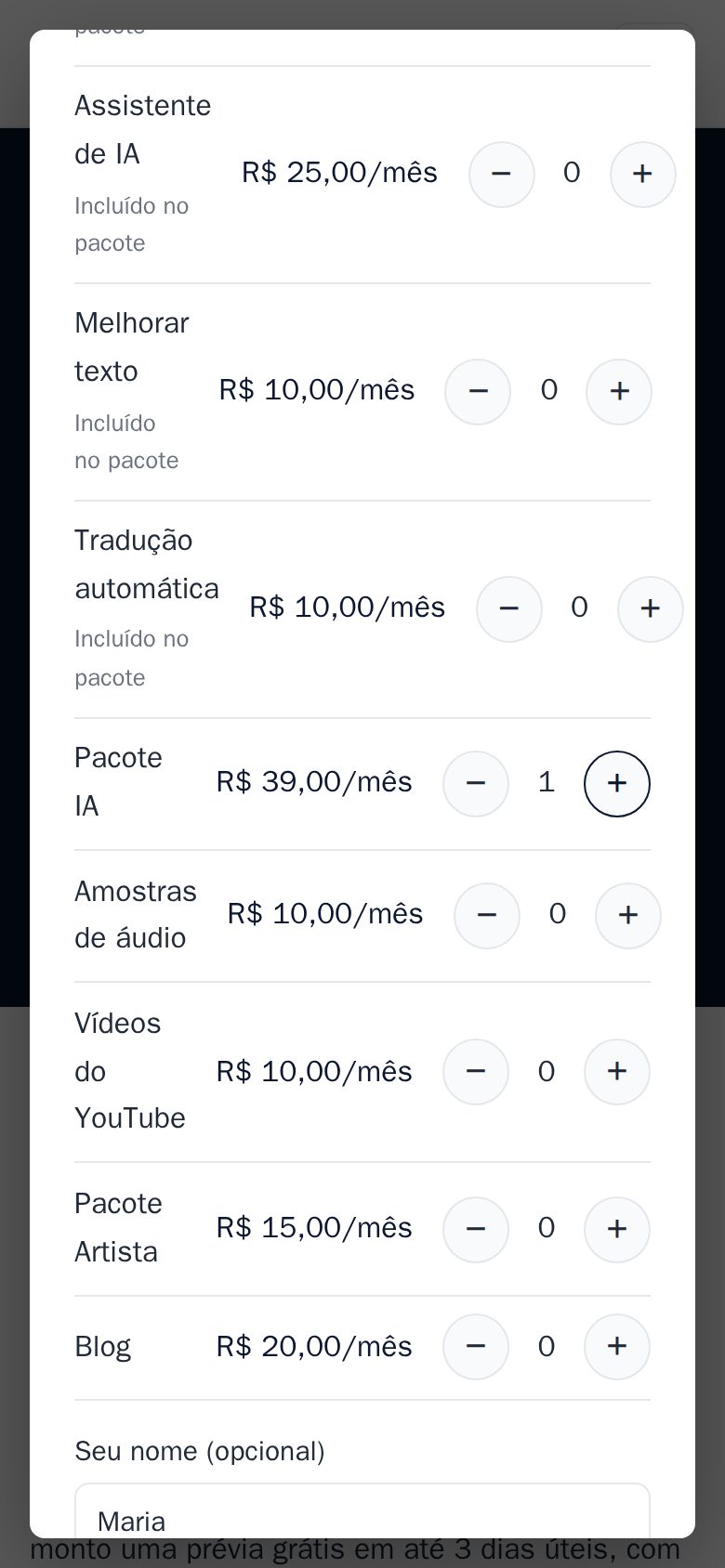
Your customer puts the order together on your site, sees what they pay once, per month and per year, and sends it on WhatsApp.
Online ordering now also works for those who sell services, plans and subscriptions, not only dishes.
- Once, monthly or yearly. Each item has its own billing. The order shows three separate totals: one-off payment, per year and per month. No adding everything into a single amount.
- A clear notice. When something is monthly or yearly, the order says that those items are charged every month or every year, before it is sent.
- Packages. A package includes other items. If the customer picks the package, the items it already brings show as “Included in the package” and are not counted twice.
- Alternatives. To pick only one option among several (for example, the kind of site address), choosing one takes the others out of the order.
- Free items. An item at R$ 0, such as a visit or a preview, can be ordered too.
- Notes. The customer writes whatever they like, and the message arrives ready on your WhatsApp.
What this is not: the site does not charge anything and does not receive payment. It only puts the order together and opens WhatsApp. You agree on how to pay in the conversation.
You can see it working on my own site: the Site modelo and each add-on are items in the order, and the packages replace the items they already include. Put together a test order now: nothing is sent unless you tap WhatsApp.
How to do it in the editor
With online ordering on your site, you set this up yourself, in the editor (in Portuguese):
- Open the items section (Cardápio, Serviços or Produtos) and tap Ver detalhes › on the item.
- Under Como é cobrado (how it is charged), choose Uma vez (once), Todo mês (every month) or Todo ano (every year). The price gets “/mês” or “/ano” by itself.
- To make a package, tick below the items it already includes.
- Tap Publicar (publish).
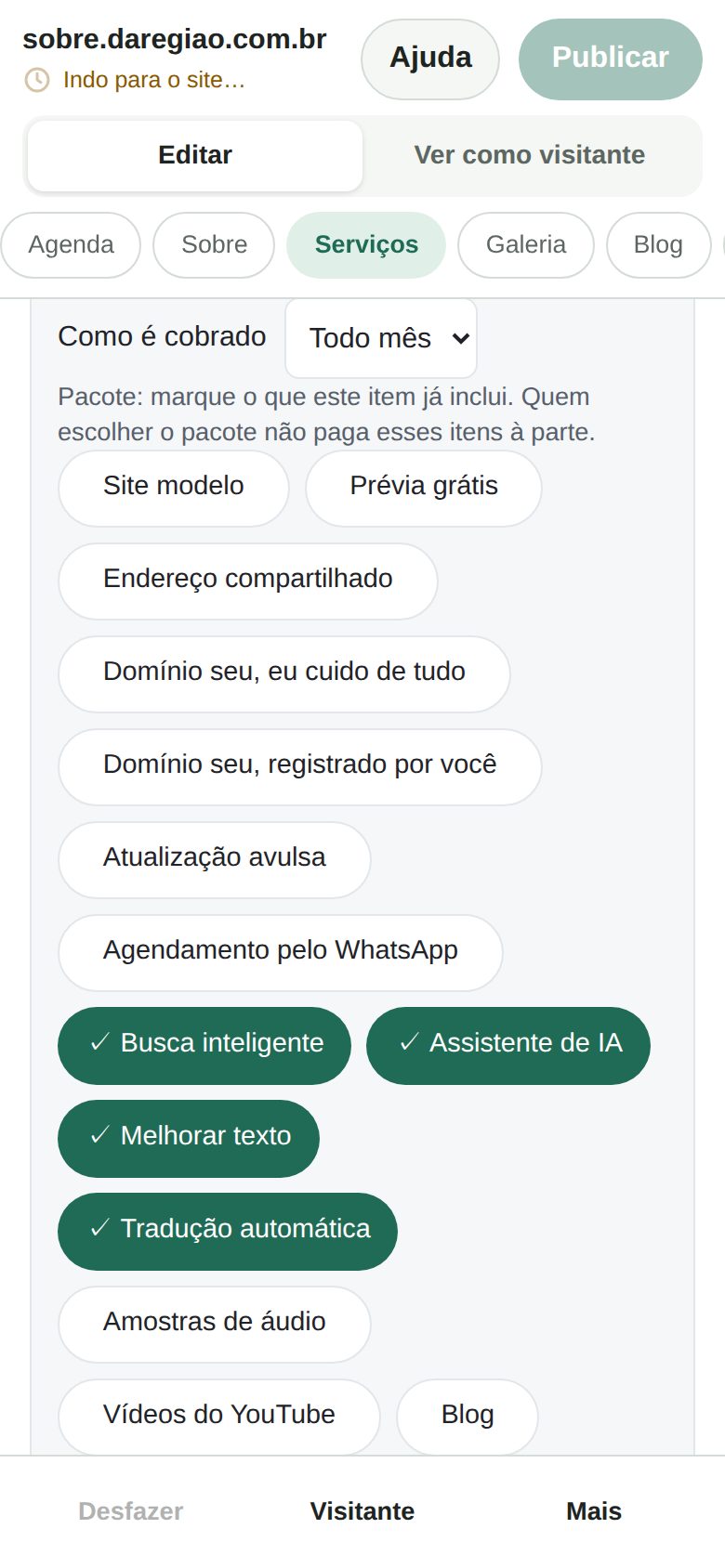
If you rename an item, it is renamed inside the packages too. A package does not include another package. The alternatives (choosing only one among several options) I set up for you.
Online ordering is a monthly add-on, coming soon, price on request. Want to use it in your business? Message me on WhatsApp.