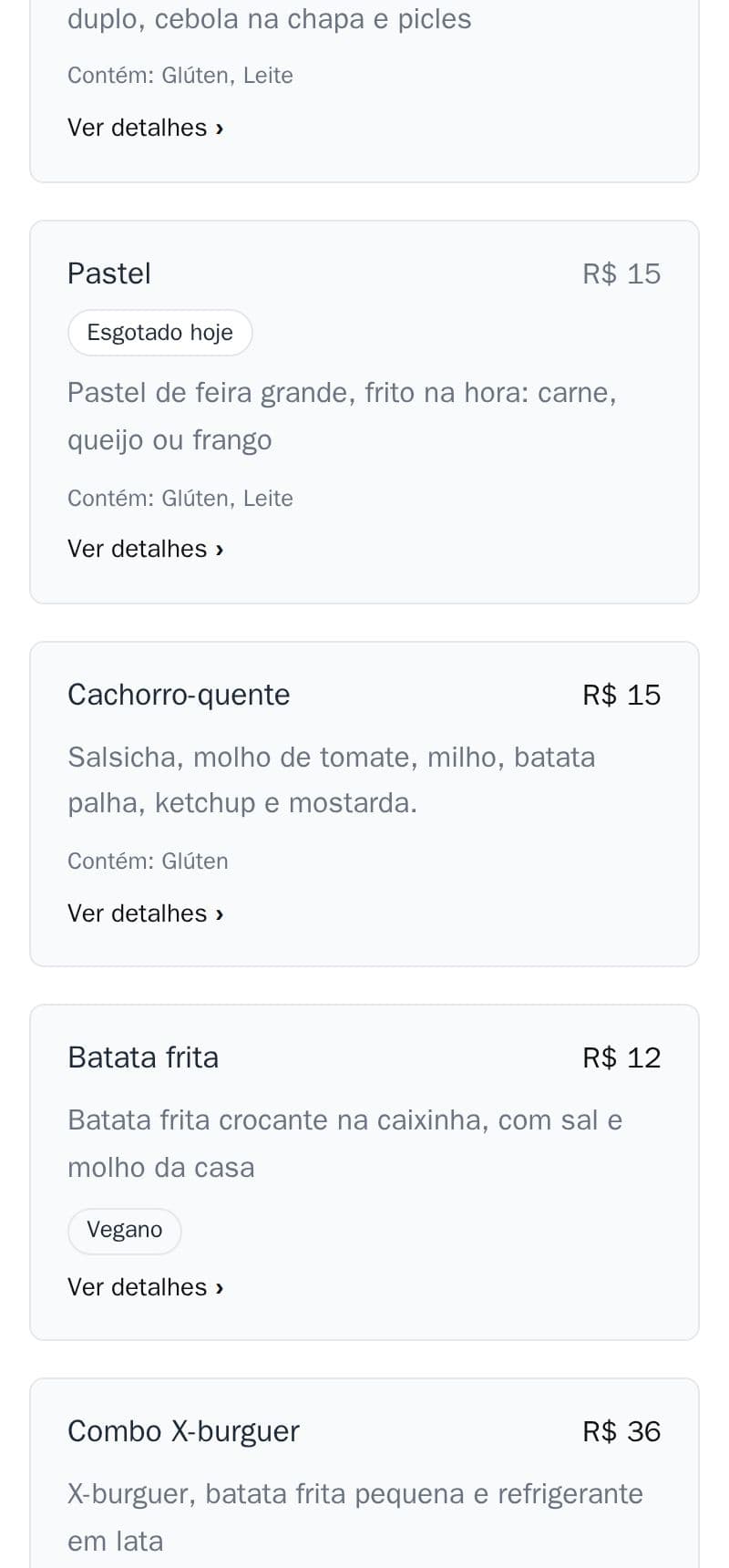
Out of today's cake? Mark the item as sold out in the editor with one tap, and customers see it before they order.
- The item stays on the menu with a Sold out label: customers know you have it, just not today.
- With online ordering, a sold-out item can't be added to an order.
- If you like, it comes back by itself the next day (the label becomes Sold out today), so you don't have to remember to switch it off.
It is part of the site, at no extra cost. You change it in the editor, which comes with the monthly plan.
How to do it in the editor
The editor is in Portuguese; the button names are in quotes.
- In “Cardápio” (menu), tap “Ver detalhes ›” (see details) on the item.
- Switch on “Esgotado” (sold out).
- Tap “Publicar” (publish). It shows on the site within a few minutes.
- Back in stock? Switch “Esgotado” off and publish again.
Want it to come back by itself the next day? Tap “Mais” → “Esgotado volta sozinho” (sold out resets by itself). This applies to every item.
Try it in the demo editor: nothing goes live.