Big menu? Split the items into groups, like Espetinhos and Bebidas (skewers and drinks): in online ordering the customer opens one group at a time and finds things faster.
Once a menu passes ten or so items, the Monte seu pedido (build your order) screen turns into a long list: the customer scrolls and scrolls, and the drinks are all the way down at the end. With groups, each item sits under a heading (Espetinhos, Acompanhamentos, Bebidas...) and the list gets short.
How it looks for the customer
- Buttons at the top. Each group has a button at the top of the screen. One tap goes straight to the group, and the buttons stay in sight while the customer scrolls.
- One group open at a time. Opening one folds the others. Tapping a group's heading also opens and closes it.
- What was chosen does not disappear. A folded group still shows the items already chosen, with − and +, and the group's button shows a number with the quantity. The customer checks and changes the order without opening anything.
- Tapped + or − on an item in a folded group? The group opens by itself, and the item stays where it was on the screen, so the next tap hits the same button.
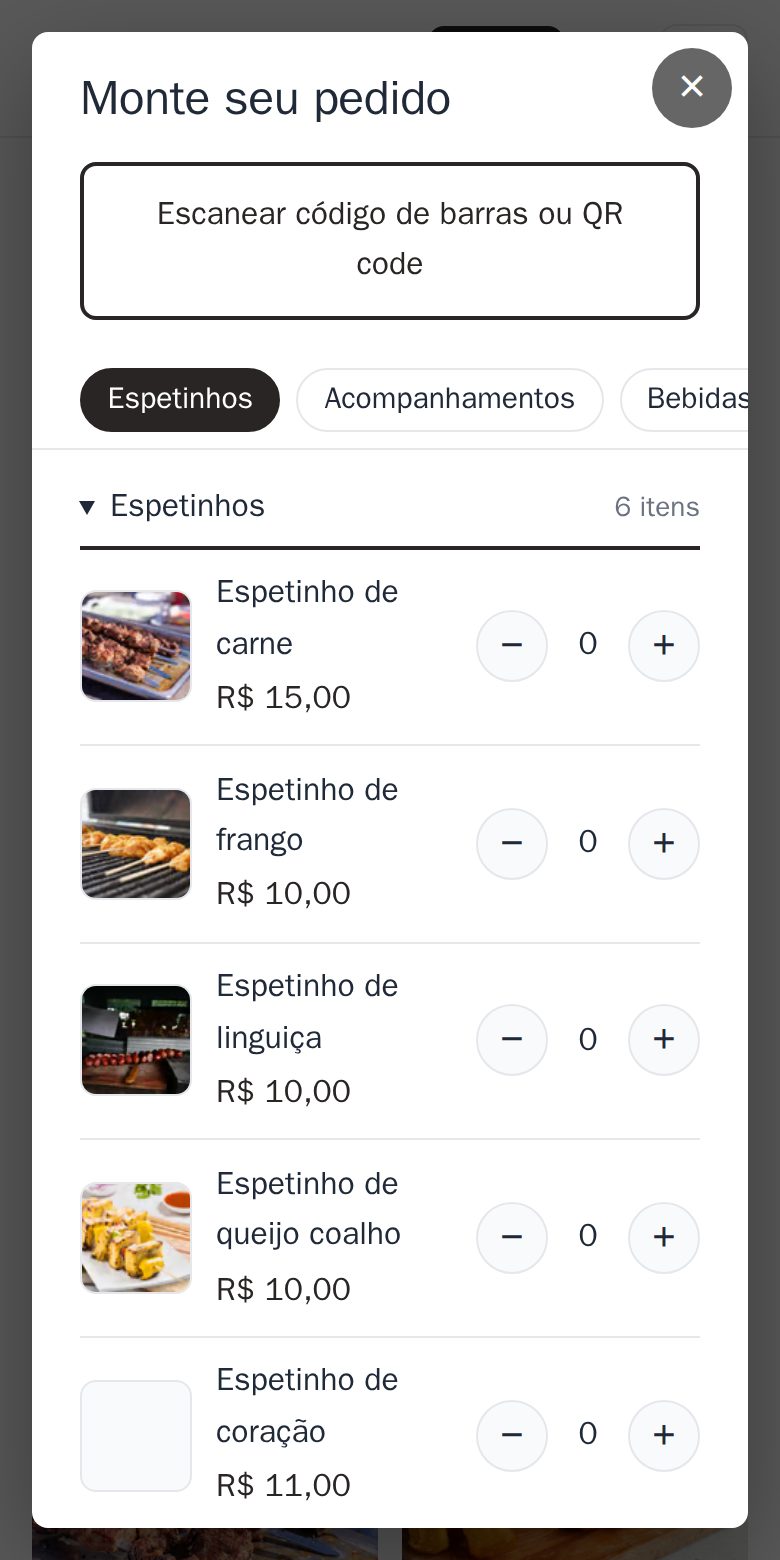
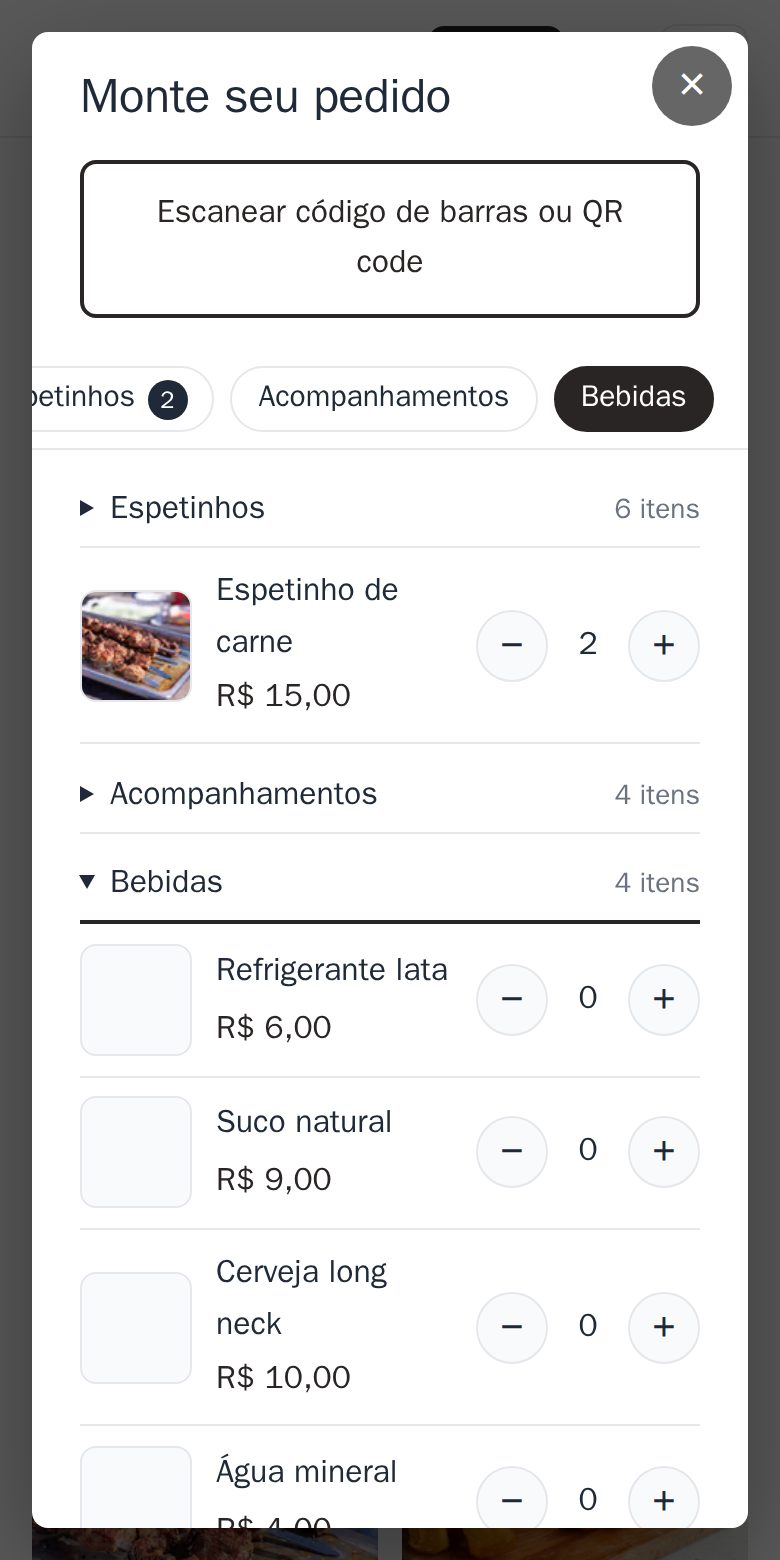
Want to see it working? Open the bar example site on your phone, during its opening hours, and tap Fazer pedido (place an order).
How to get it on your site
For now you have to ask me: groups come switched off, and I switch them on and set them up for you, because there is no button in the editor yet to do it yourself. Message me on WhatsApp with the group names and what goes in each (or send me your menu, I split it and you approve). To change it later, just ask me again.
After that, the order goes out the same as before: the WhatsApp message, the printed order and the order list keep the menu's order, without group headings.
Good to know
- Only with online ordering. Groups show on the order screen, not on the menu on the page (that stays as it is).
- It needs two groups or more. With a single group, or none, the screen stays as it always was: a simple list.
- Items without a group stay at the top, always in sight, with no button.
- The order of the groups is the order they first appear in the menu.
- At the counter and in staff mode every group stays open; the buttons only take you to the group.
- A group with nothing to order today (everything sold out, for example) disappears, along with its button.