Four new things to make your site look better on your customers' phones.
The photo behind each product
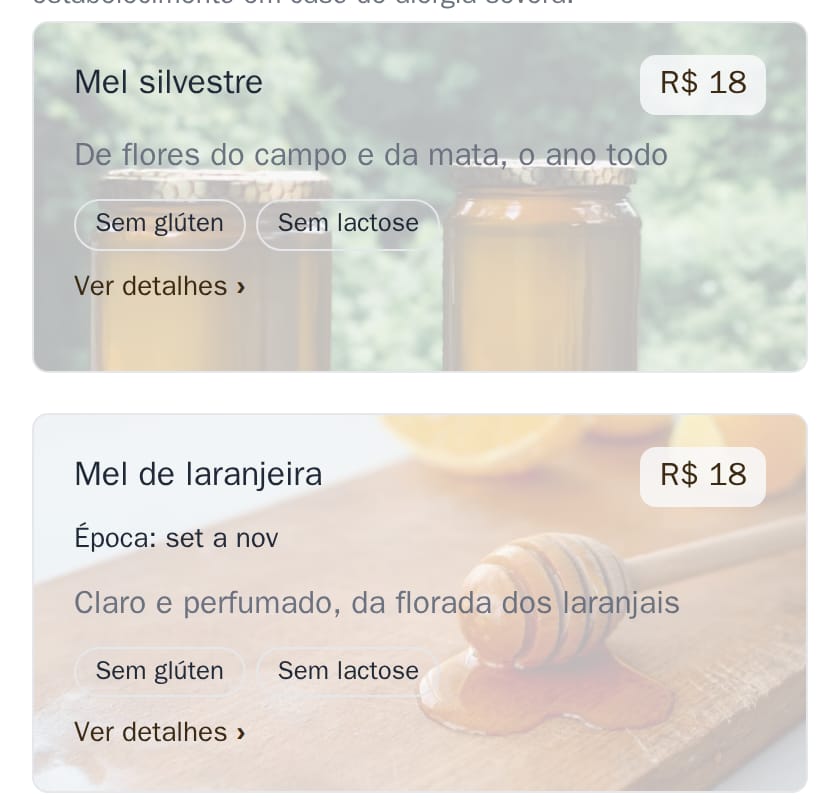
Each product can show its own photo as the background of its card, light, with the name, description and price on top. On a phone the photo sits behind the whole card; on a computer it shows stronger on the right. The price gets a small box of its own, so it reads well on any photo. Products without a photo stay as they are. See it on the example apiary.
Want it on your site? Ask me on WhatsApp and I'll switch it on.
Photos in the order screen
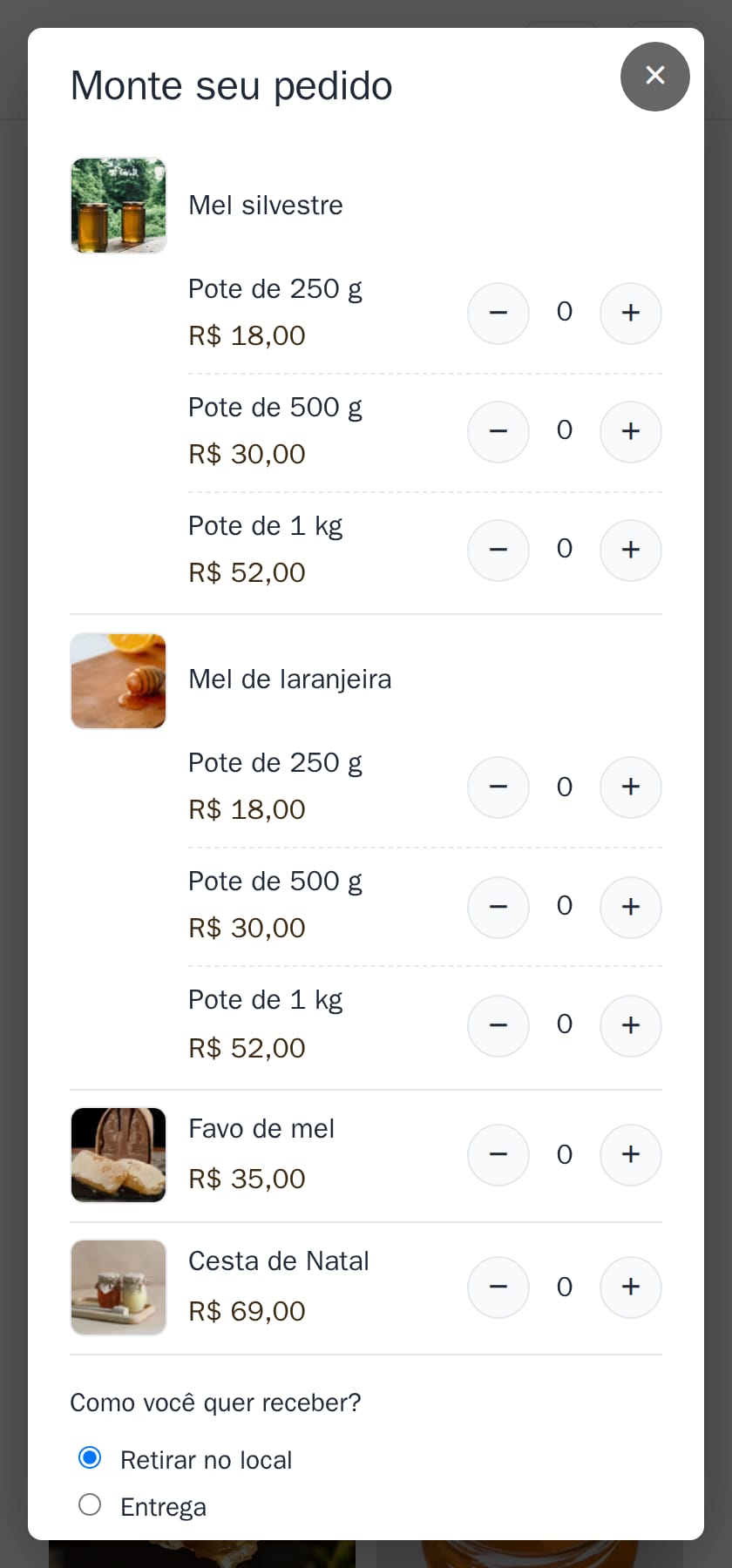
With the online order, customers now see a small photo of each product while they build their order, with the sizes under its name. It's easier to find what they want. Prefer the simple list, one line per size? You choose.
Light or dark site
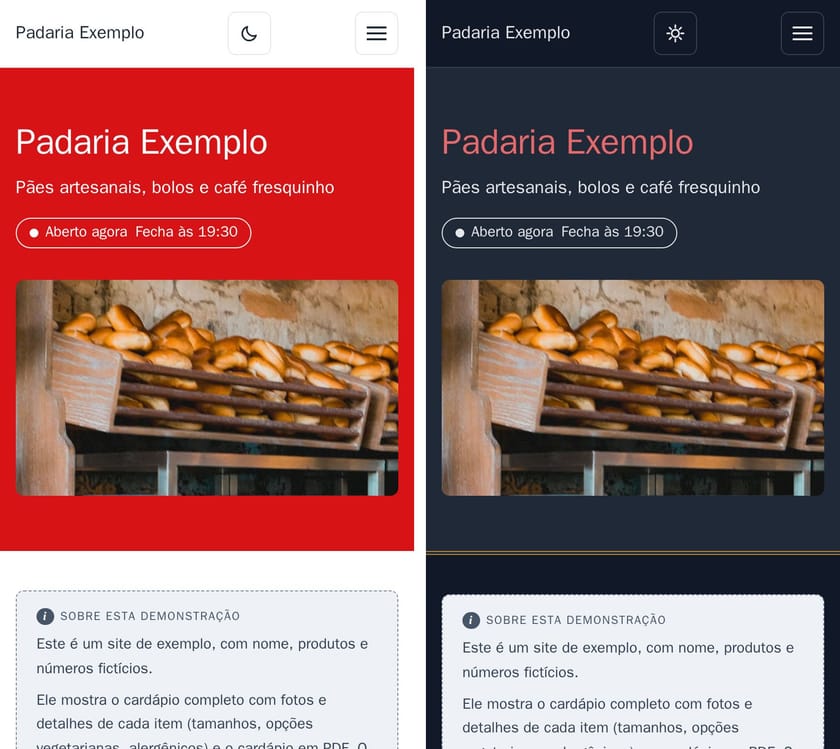
At night, lots of people use their phone in dark mode. Now your site can have a sun and moon button at the top for visitors to switch, open dark straight away, or follow each visitor's phone. Your colours are adjusted by themselves to stay readable in the dark. If you choose nothing, the site stays light, with no button.
Your site as an app on the phone: R$ 10/month
Customers install your site on their home screen and open it with one tap, like an app, with no app store. Offline, it opens the last page they saw, like the menu and opening hours. Watch the video and see all add-ons.
How to do it in the editor
Everything ends with Publicar (publish): it shows on the site within a few minutes.
- Order screen: in Mais (more), tap Tela de pedido and choose Com fotos (with photos) or Lista simples (simple list). The photos are the products' own.
- Light or dark: in Mais, tap Site claro ou escuro and choose Só claro (light only), Claro, com botão (light, with button), Escuro, com botão (dark, with button) or Igual ao celular, com botão (like the phone, with button).
- Photo behind the products and app on the phone: I switch them on for you, message me on WhatsApp.