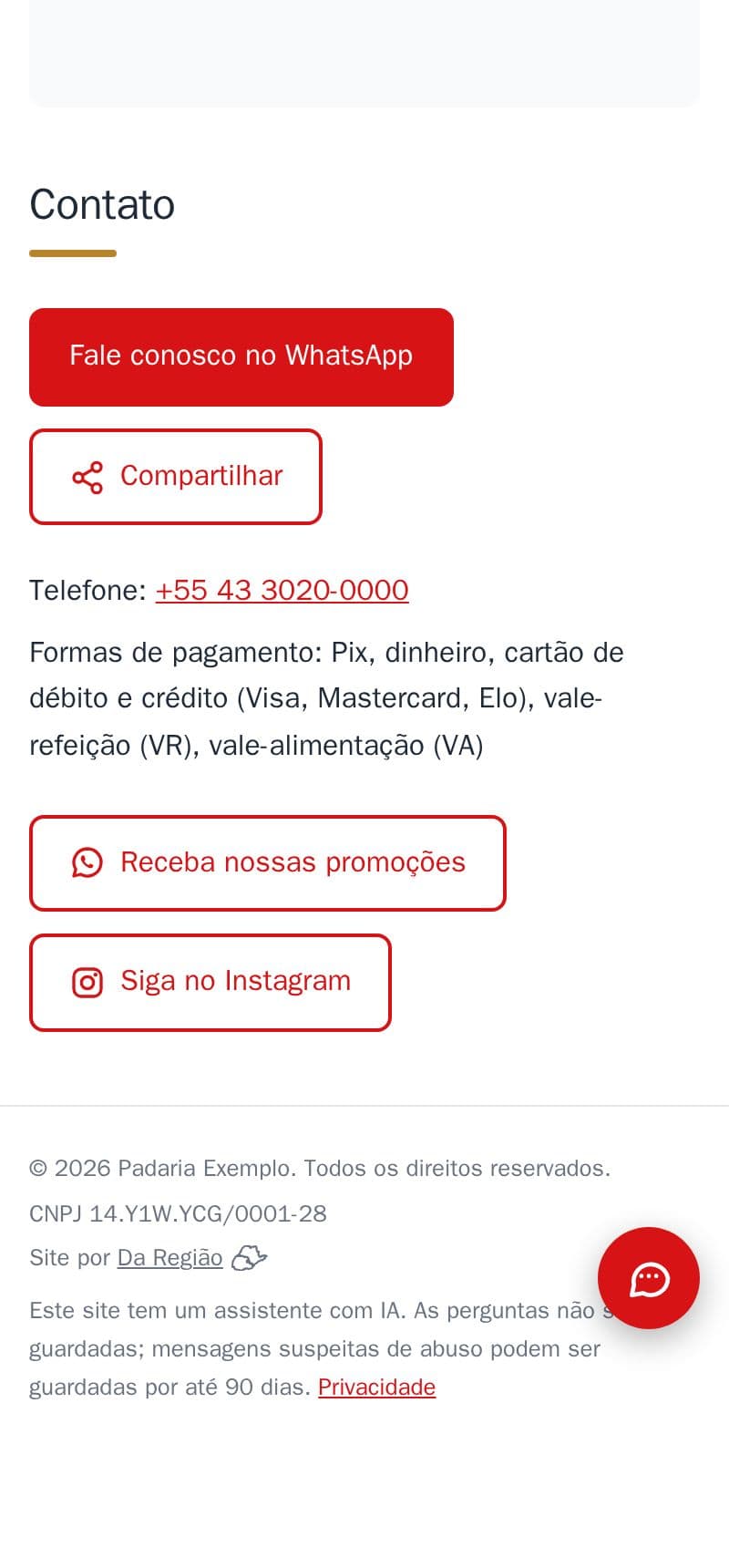
Customers see on your site whether you take Pix, cash, cards or meal vouchers, without asking on WhatsApp.
- One line in the contact section: “Payment methods: Pix, cash, debit and credit card (Visa, Mastercard, Elo), meal voucher (VR)”.
- In the visitor's language: Portuguese, English or Spanish.
- Google learns it too, from the information the site prepares for it.
- Take Alelo, Ticket or another card? Write it in a note.
It is part of the site, at no extra cost. See it in the example bakery's contact section.
How to do it in the editor
The editor is in Portuguese; the button names are in quotes.
- In the editor, go to “Contato” → “Formas de pagamento” (contact → payment methods).
- Tap what you accept: “Pix”, “Dinheiro” (cash), “Cartão de débito”, “Cartão de crédito”, “Vale-refeição (VR)”, “Vale-alimentação (VA)”.
- With cards, pick the brands if you like.
- Anything else? Write it in the note, like “Aceitamos Alelo e Ticket”.
- Tap “Publicar” (publish).
The site shows only the payment methods, never your Pix key. The key shows only in online ordering, once a customer has put an order together.