Switch on Fazer pedido no menu in the editor and customers open the order from the top of the site, without scrolling past the menu. Step by step.
On a site with online ordering, the Fazer pedido (place an order) button sits below the menu. On a phone, the customer has to scroll the whole page to reach it, and that is exactly what they came to do. With Fazer pedido no menu (order from the menu), ordering is always at hand, at the top of the site.
How it looks on the site
- On a phone: a Pedir (order) button at the top, next to the menu icon. The top bar follows the page, so the button is always in sight, anywhere on the site.
- On a computer: the Fazer pedido link in the top menu, right after Cardápio (menu) or Produtos (products). In a menu with many links it just says Pedir.
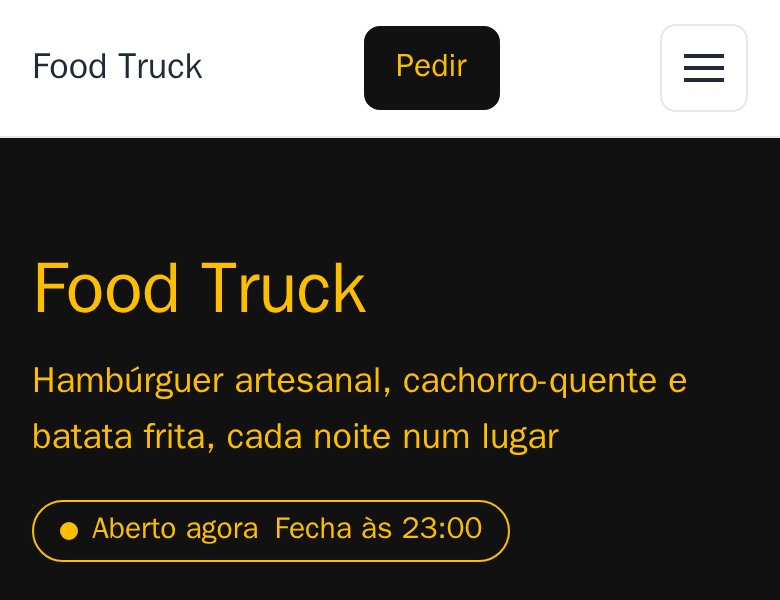
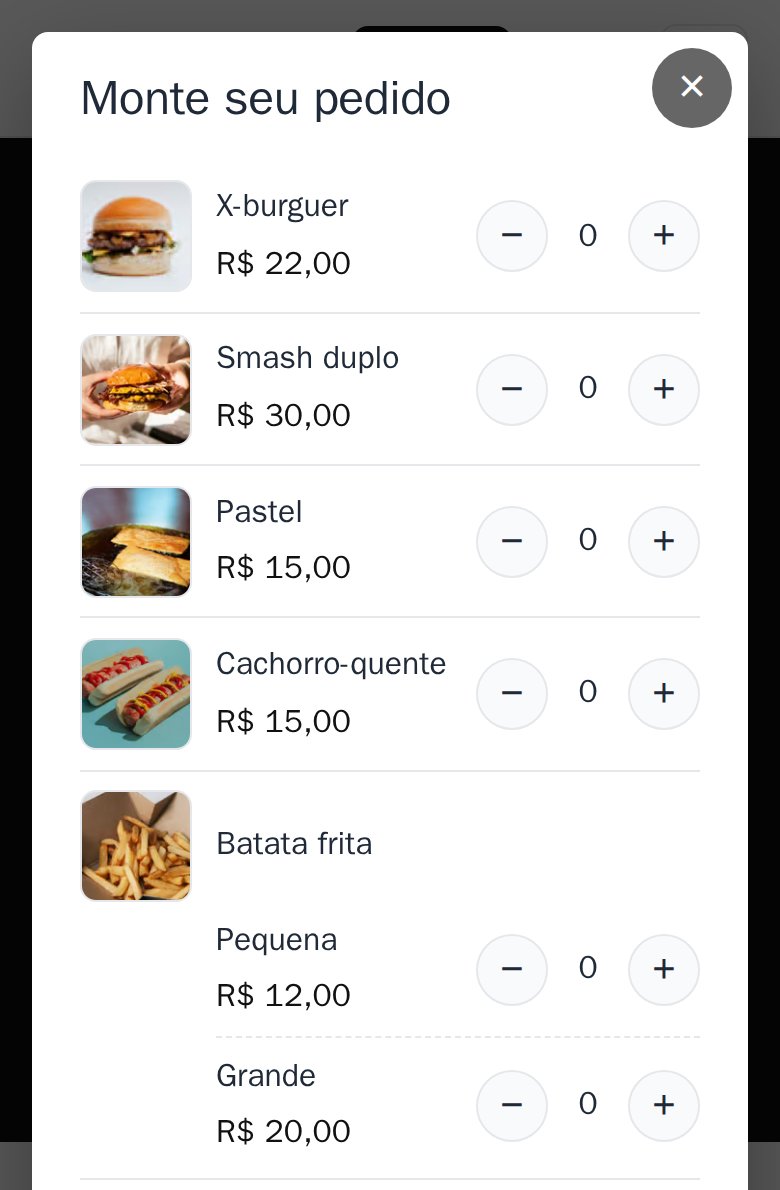
One tap opens the Monte seu pedido (build your order) screen with the whole menu: the customer picks the quantities with + and − right there and sends the order as usual. Nothing changes after that.
Want to see it working? Open the food truck example site on your phone, during its opening hours.
How to switch it on in the editor
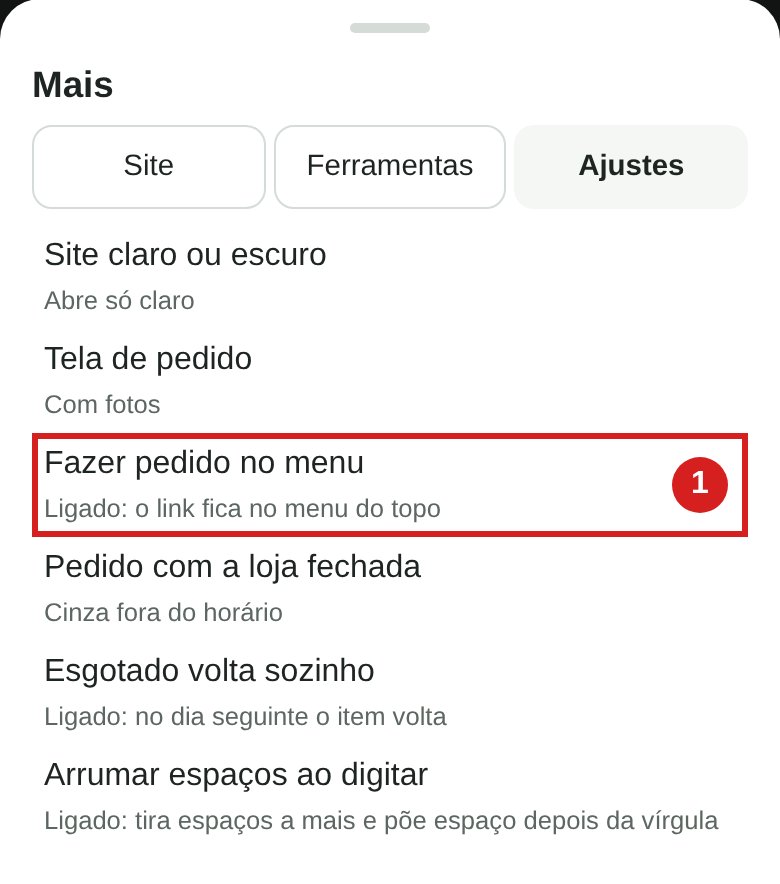
1. Tap Mais (more), at the bottom, and open the Ajustes (settings) tab.
2. Tap Fazer pedido no menu (1). The row now says Ligado: o link fica no menu do topo (on: the link is in the top menu).
3. Tap Publicar (publish). In a few minutes the link and the button show on the site.
To remove it, do the same: tap Fazer pedido no menu again (it says Desligado, off) and Publicar.
Good to know
- Only with online ordering. The row shows in the editor of sites that have online ordering.
- Hidden while you are closed. If your order button turns grey while you are closed, the link and the top button are hidden too until you open again.
- It costs nothing. It comes switched off: you switch it on whenever you like. Can't find the row in your editor? Message me on WhatsApp.