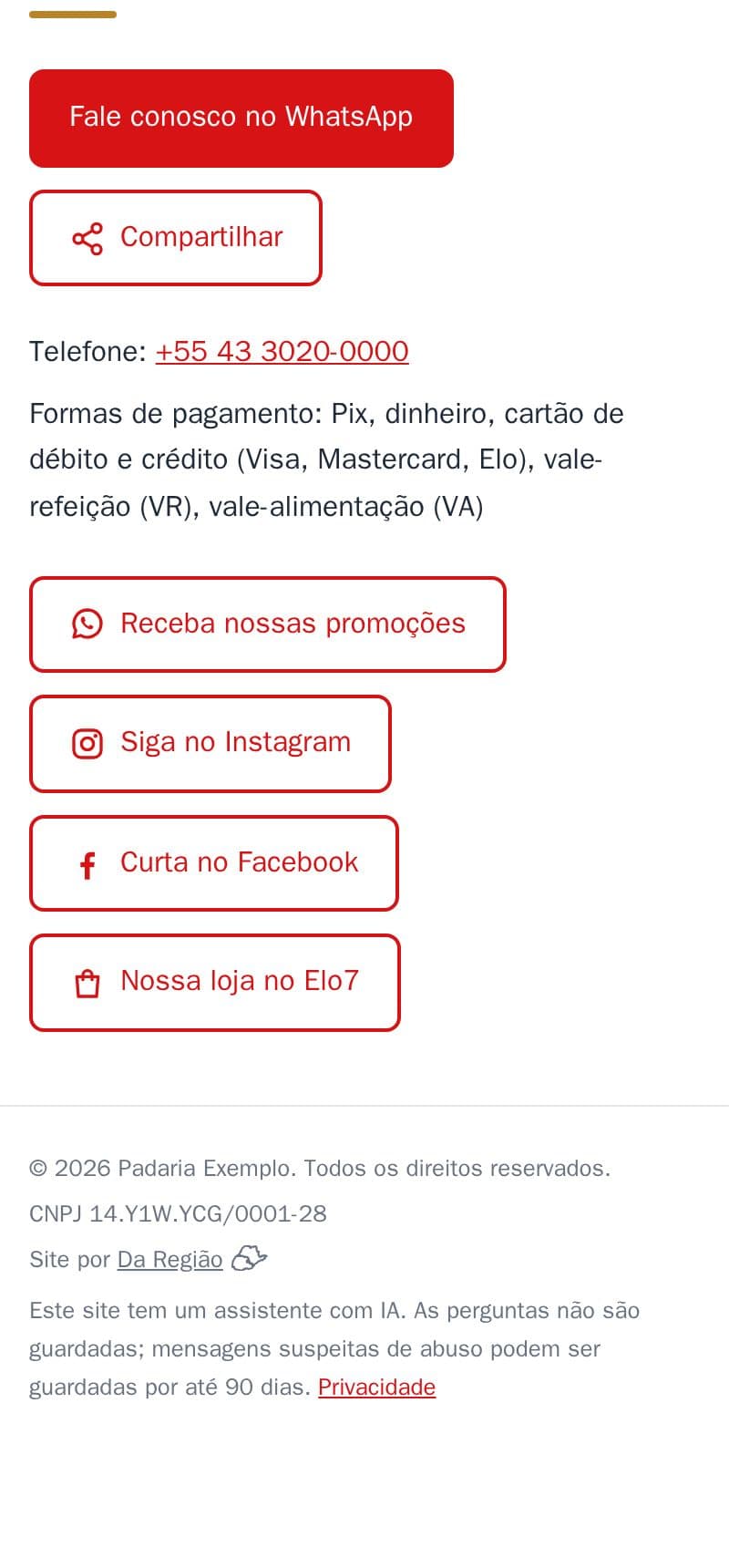
Buttons at the end of your contact section that take customers to your Instagram, Facebook, TikTok, WhatsApp group or shop on Mercado Livre, Shopee or Elo7.
- Each button with the right icon and the text you choose, like “Follow us on Instagram”.
- Up to 5 buttons.
- On a computer, a QR code icon shows the link's code, so the customer can open it on their phone.
- Google links your site to your profiles too.
It is part of the site, at no extra cost. See it in the example bakery's contact section. The Facebook and Elo7 buttons on the cover image are an example.
How to do it in the editor
The editor is in Portuguese; the button names are in quotes.
- In the editor, go to “Contato” → “Links”.
- Tap “+ Adicionar link” (add link).
- Write the “Texto do botão” (button text) and paste the link's address (https://…).
- Choose the “Ícone” (icon): “Link”, “Instagram”, “Facebook”, “TikTok”, “WhatsApp” or “Loja online” (online shop).
- Want the QR code on computers? Switch on “Ícone de QR” (QR icon).
- Tap “Publicar” (publish).